http://1&1 Router Login in the address bar. Use default credentials (usually admin/admin or admin/password) to access the admin panel. Change your password immediately for security. 1&1 Router Login Tool: Access Admin & Change WiFi Password
What is 1&1 Router Login?
The 1&1 Router Login is the process of accessing your router's admin panel, typically through a web browser. Your router acts as the default gateway for your home network, identified by a private IP address (like 192.168.178.1). This login allows you to manage your network's core settings, from changing your WiFi password to configuring advanced security features, giving you full control over your home internet connection.
How to Login to 1&1 Router Login
Follow these step-by-step instructions to access your router's admin panel. The process is straightforward and works for both standard home routers and mobile WLAN routers from 1&1.
- Connect to Your Network: Ensure your device (laptop, phone, or tablet) is connected to your 1&1 network, either via WiFi or an Ethernet cable.
- Open a Web Browser: Launch any browser like Chrome, Firefox, or Safari.
- Enter the Correct Address: In the address bar, type the appropriate address for your specific 1&1 router model and press Enter.
- For most 1&1 WLAN-Routers (Fritz!Box):
http://fritz.boxorhttp://192.168.178.1 - For the 1&1 Mobile WLAN-Router ZTE:
http://wlan.routerorhttp://192.168.0.1
- For most 1&1 WLAN-Routers (Fritz!Box):
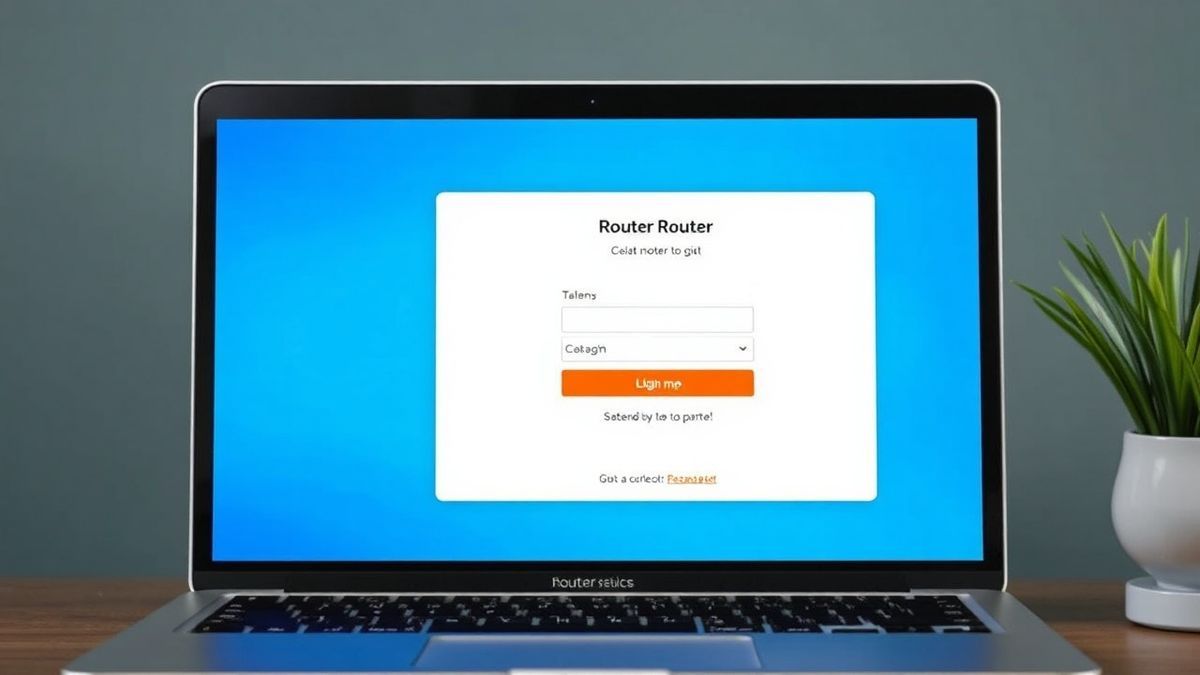
- Enter Login Credentials: A login page will appear. Enter the username and password. For many 1&1 routers, the username is often left blank. The password is unique to your device. (See the section below for more details).
- Access the Admin Panel: Once logged in, you will be in the main dashboard of your router settings.
Default Username and Password for 1&1 Routers
The login credentials vary depending on your router model. It is crucial to know where to find them or what the default is.
- 1&1 WLAN-Router (Fritz!Box): There is no default username. The password, labeled as FRITZ!Box-Kennwort, is a unique, device-specific key. You can find it printed on a sticker on the back or bottom of your router.
- 1&1 Mobile WLAN-Router ZTE: The default username is often left blank, and the default password is
admin. This is a common default for this specific model.
Important Security Note: Leaving your router's admin password as the default is a significant security risk. Anyone connected to your network could potentially change your settings. We strongly recommend changing the admin password immediately after your first login.
What You Can Do After a Successful 1&1 Router Login
Once inside your router's admin panel, you have complete control over your home network. Here are the most common and useful tasks you can perform:
- Change WiFi Name (SSID): Personalize your network name to make it easily identifiable.
- Change WiFi Password: Regularly updating your WiFi password enhances security and prevents unauthorized access. Look for sections labeled "WLAN," "Wireless," or "Security."
- View Connected Devices: See all devices currently connected to your network. This is a great way to identify intruders or troubleshoot connectivity issues.
- Configure Parental Controls: Set up access schedules and content filters to manage internet usage for family members.
- Update Router Firmware: Keep your router secure by installing the latest software updates from the manufacturer.
Troubleshooting 1&1 Router Login Not Working
It can be frustrating when you can't access your router. Here are solutions to the most common login problems.
Cannot access 1&1 Router Login (Page not loading)
- Cause: You might be using the wrong IP address or are not connected to the network.
- Solution: First, verify your connection. Try using an Ethernet cable for a more stable link. Then, double-check the address. Instead of the URL, try the default IP addresses:
192.168.178.1for a Fritz!Box or192.168.0.1for the ZTE mobile router. You can also find your router's IP address (default gateway) in your device's network settings.
No response after entering IP address
- Cause: The router might be frozen, or your computer's IP settings are incorrect.
- Solution: Perform a simple power cycle. Unplug your router from the power outlet, wait 30 seconds, and plug it back in. Wait for all lights to return to their normal state and try again. If that fails, restart your computer.
Login failed / Wrong Password
- Cause: You are entering an incorrect password. This is often because the default password was changed and forgotten.
- Solution: For the Fritz!Box, check the sticker on the back of the router. If you changed the password and forgot it, you will need to perform a factory reset. Locate the small reset button on the back of the router (often recessed). Use a paperclip to press and hold it for 10-15 seconds while the router is powered on. Warning: This will erase all your custom settings, including your WiFi name and password.

Frequently Asked Questions
1. What is the default IP address for 1&1 Router Login? For most 1&1 routers (Fritz!Box), the default IP is 192.168.178.1. For the 1&1 Mobile WLAN-Router ZTE, it is 192.168.0.1.
2. How do I change my WiFi password using 1&1 Router Login? Log in to your admin panel. Navigate to the "WLAN" or "Wireless" section. Look for "Security" or "WLAN Settings." You'll find a field labeled "Network Key," "Password," or "WLAN-Netzwerkschlüssel." Enter your new password and save the settings.
3. Why is the 1&1 Router Login page not working? This is usually due to using the wrong IP address, a poor connection, or a frozen router. Ensure you are connected to the network and try the troubleshooting steps above, starting with a router reboot.
4. What is the default password for a 1&1 Router Login? It depends on the model. For the Fritz!Box, it's a unique key on the device's sticker. For the ZTE mobile router, the default is often admin (with no username).
5. I forgot my 1&1 router admin password. What should I do? If you can't find it on the sticker and a simple reboot doesn't work, your only option is to perform a factory reset using the physical reset button on the back of the router. This will restore all settings to their defaults, including the login password.
6. Is it safe to use the default 1&1 Router Login credentials? No. Using the default password leaves your network vulnerable. Anyone with access to your network could log in and change your settings. It's a best practice to change the admin password immediately.
🔒 Security Reminder
After logging into your 1&1 router, always change the default password to protect your network from unauthorized access. Use a strong password with at least 12 characters including letters, numbers, and special symbols.